
LE DUONG CASHEW · ENGLISH · VERSION 1.1
B2B Quote User Guide
A simple guide from product selection to buyer confirmation.
USER GUIDE · VERSION 1.1
The complete journey
A quick view of the complete process.
Buyer submits
- Products & specs
- Shipment & buyer
- Verify & submit
Le Duong reviews
- Review request
- Approve or clarify
- Issue documents
Buyer completes
- Open portal
- Sign & upload
- Confirm / revise / reject
Remember: No payment is collected here. Documents are issued only after Le Duong approves the request.
BEFORE YOU START
Prepare
- Product, quantity, specification and packing.
- Incoterm, destination, delivery window and documents.
- Buyer legal details and a business email.
STEP-BY-STEP
Follow the screen
Open one step at a time.
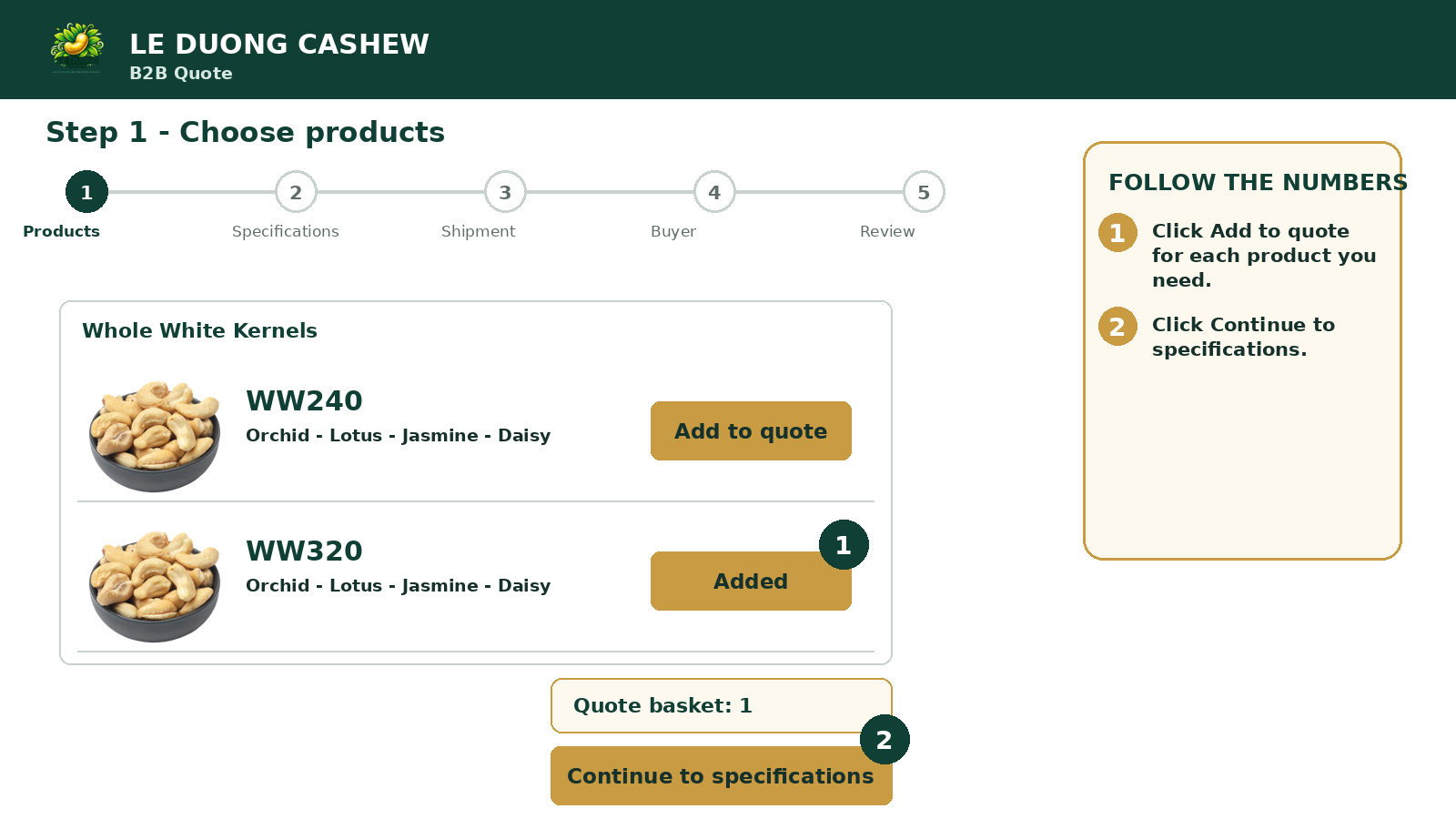
Step 1. Choose products
- Choose a product group and grade.
- Click Add to quote.
- Open the basket and continue.
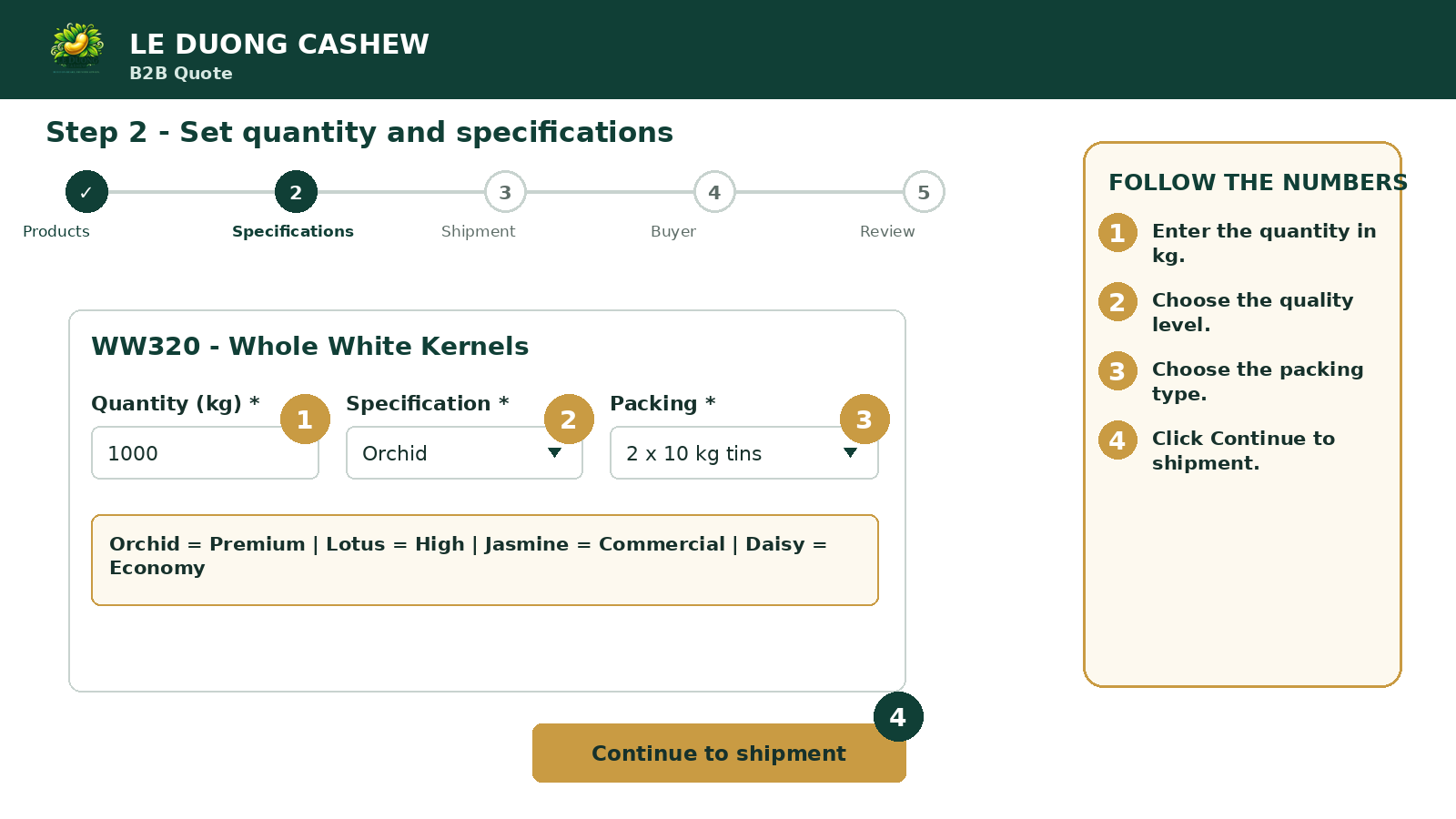
Step 2. Set quantity and specifications
- Enter Quantity in kg.
- Choose Specification and Packing.
- Continue to shipment.
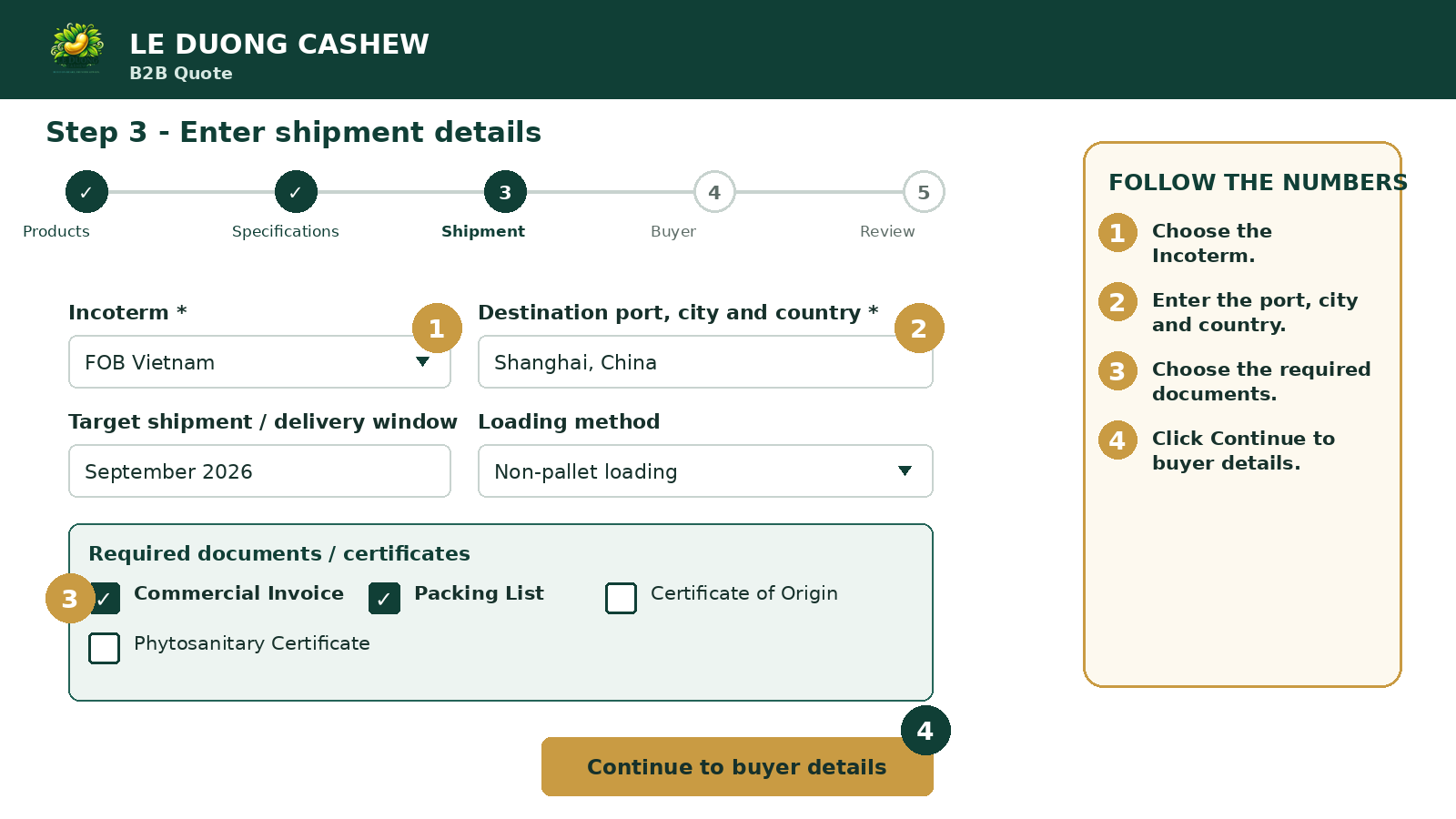
Step 3. Enter shipment details
- Choose Incoterm and destination.
- Add the delivery window if known.
- Choose documents and continue.
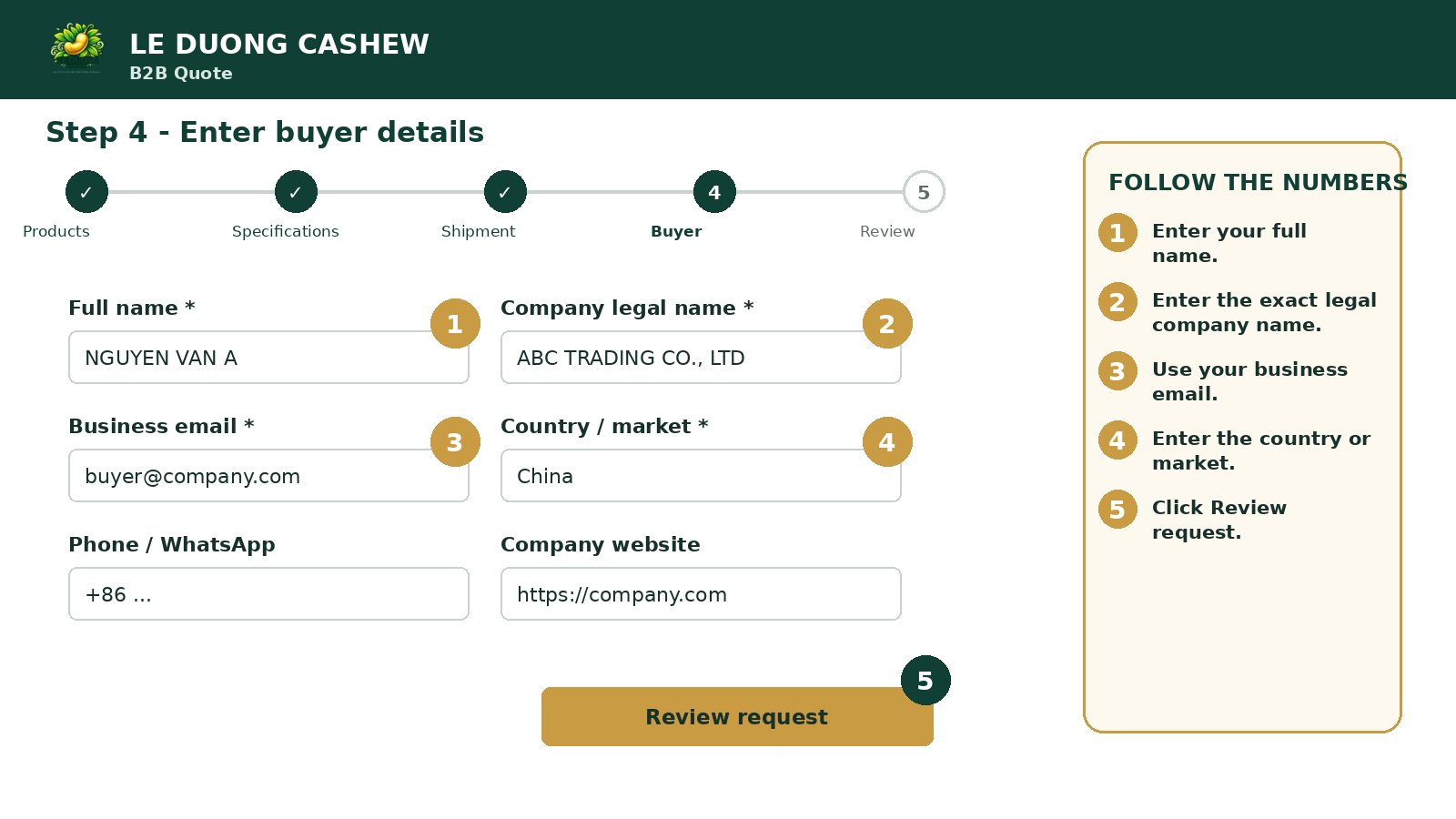
Step 4. Enter buyer details
- Enter the buyer and legal company names.
- Use a business email.
- Enter Country / market and review.
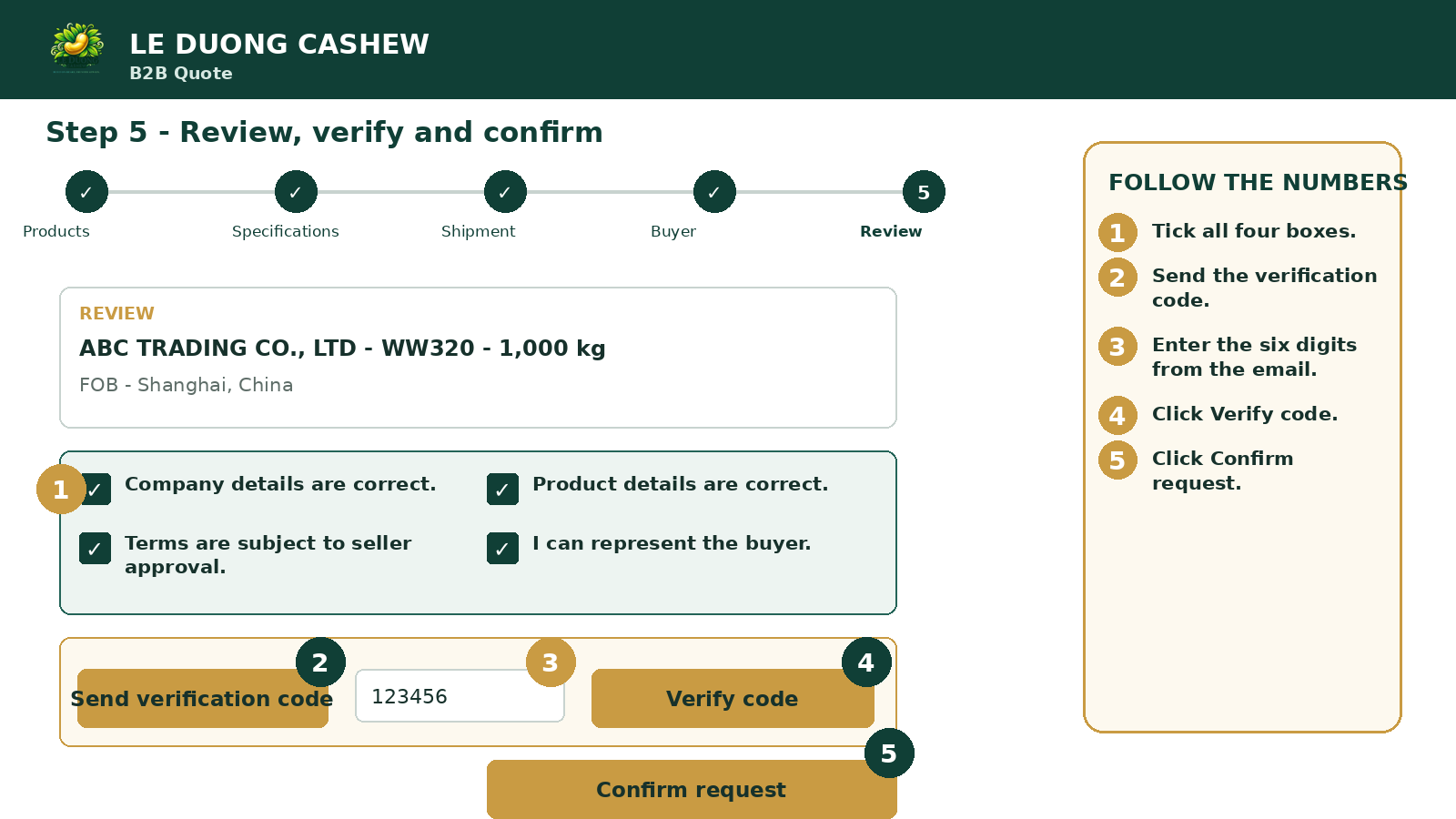
Step 5. Review, verify and submit
- Review all information.
- Tick four boxes and verify the six-digit code.
- Click Confirm request.
AFTER SUBMISSION
What happens next
Need help?
Take a screenshot of the message and contact Le Duong.